Running campaigns without proper analytics resembles navigating without instruments. You move forward, but direction remains unclear. Research from 2024 indicates that 68% of media buyers who failed to scale attributed their problems to inadequate tracking infrastructure. A functional tracking system now serves as the operational foundation rather than an optional tool.
Table of contents
- Why affiliate marketers can’t work without tracking platforms
- What postback URLs are and how they work
- Setting up conversion callbacks: step-by-step walkthrough
- Common mistakes that kill data accuracy
- Comparison of popular tracking solutions
- How to verify your setup is working correctly
Why affiliate marketers can’t work without tracking platforms
Most traffic sources provide limited conversion attribution. They display impressions and clicks, occasionally partial conversion metrics, but comprehensive attribution data rarely surfaces. Without proper analytics tools, spending decisions rely on guesswork instead of solid data.
The period from 2020 to 2024 saw a 41% increase in affiliate networks mandating tracker integration. What was once optional has become standard practice. Networks preferentially allocate premium offers to partners who demonstrate verifiable conversion flows. Clean data translates to better terms and higher commission rates.
What postback URLs are and how they work
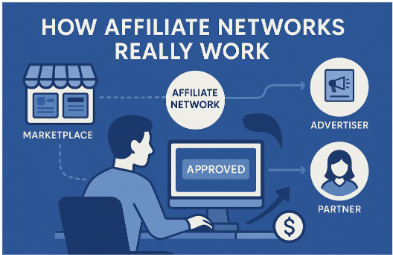
A postback functions as a digital confirmation mechanism. When a user completes a tracked action, whether purchase, registration, or installation, the affiliate network transmits a signal to your analytics platform. This callback carries essential information. It identifies which click generated the conversion, the monetary value, and the exact timing.
The technical process operates straightforwardly. Your tracker assigns a unique identifier to each click. This identifier passes through to the offer destination. Upon conversion, the network captures that identifier and returns it to your platform through a predetermined URL. This creates a closed loop connecting expenditure to revenue with measurable precision.
Setting up conversion callbacks: step-by-step walkthrough
Begin by locating the postback URL template within your tracking platform. Contemporary solutions typically display this in campaign configuration areas or dedicated integration sections. Copy the template precisely.
It uses dynamic variables like {clickid} or {payout} that get filled with real values when transmitted.
The typical setup process follows these steps:
- Log into your affiliate network account and choose the offer you’re working with
- Find the tracking or postback setup section
- Paste your tracker’s callback URL in the designated area
- Connect the necessary parameters, usually the click ID and payout amount
- Set the trigger event, commonly “conversion” or “lead”
- Confirm the settings and run a test conversion if the option exists
Terminology varies across networks. Some platforms reference this as a “pixel,” others use “S2S postback” or “server callback.” The underlying function remains constant. You’re establishing a direct communication protocol between two systems.
Networks implement either global or offer-specific postbacks. Global callbacks trigger for all offers associated with your account. This simplifies administration but reduces granular control. Offer-specific configurations provide greater flexibility but require individual setup per campaign.
Common mistakes that kill data accuracy
The most prevalent error involves failing to preserve the click identifier throughout the conversion funnel. If your landing page doesn’t maintain and forward this parameter, the attribution loop breaks. Conversions appear in the network dashboard, but your analytics platform cannot connect them to specific traffic sources.
Mismatched parameter names create ongoing tracking issues. Your tracking system might require “clickid” while the affiliate network sends “click_id” with an underscore. Even this minor difference can break tracking entirely. Always confirm the precise variable naming conventions on both platforms before going live.
Delayed postback transmission introduces another complication. Certain networks postpone conversion confirmation for hours or days, particularly for offers requiring manual approval. Optimization decisions based on six-hour-old data respond to outdated conditions rather than current performance. Account for these delays when interpreting campaign metrics.
URL encoding complications affect experienced operators as well. Special characters in your callback string can corrupt the entire transmission if improperly encoded. Most platforms handle encoding automatically, but custom implementations require manual verification. Test postbacks across various scenarios to identify encoding failures early.
Comparison of popular tracking solutions
| Platform | Monthly cost | Real-time data | API access | Learning curve |
| Voluum | $69-299 | Yes | Full | Moderate |
| Binom | Self-hosted | Yes | Full | Steep |
| RedTrack | $49-199 | Yes | Limited | Easy |
| Bemob | Free-$149 | Slight delay | Basic | Easy |
| ThriveTracker | Self-hosted | Yes | Full | Moderate |
Different platforms handle tracking through different tech approaches. Cloud solutions get you up and running fast with automatic updates. But you’ll pay monthly fees and might lose control over your data. Self-hosted systems give you complete control and unlimited processing power. The tradeoff? You need technical staff to keep everything running.
Processing speed can make or break your campaigns. When you’re running multiple tests at once, a thirty-second delay in data can cost you money. Top-tier platforms invest heavily in infrastructure to deliver instant updates. Budget options process data in chunks every few minutes. That’s fine for steady campaigns. But if you’re testing aggressively, those delays will kill your momentum.
The real deciding factor is system stability, not the feature count. If a platform crashes during high-traffic hours, it can wipe out an entire day’s earnings. Choose platforms by examining their actual uptime history and how quickly support responds. Real user experiences expose practical issues that promotional content tends to hide.
How to verify your setup is working correctly
Never assume functional tracking without empirical confirmation through actual conversions. Most networks provide test conversion utilities that simulate complete flows without financial commitment. Utilize these verification tools systematically before activating live traffic.
Check your platform’s event logs to verify that postback requests are coming through. Sometimes conversions won’t show in your dashboard, but the raw logs will display transmission data. If logs are empty, the network isn’t sending callbacks. If logs show errors, the issue likely involves parameter configuration or data formatting.
Execute small test campaigns with minimal budgets to validate configuration under production conditions. Direct 50-100 clicks to an offer. Complete several conversions manually if feasible. Verify that all data components flow correctly through the system. The $20 invested in testing prevents thousands in misdirected advertising expenditure.